

SBC CallIQDialer & Insights · Android
Make every conversation count.
A phone app for people who live on calls. Dial by name on the T9 keypad, find any call in seconds, see where your talk time goes, and never lose track of a callback. Your call history is analysed on your phone and never uploaded.
- No internet permission
- No ads
- No account
- Android 7.0+
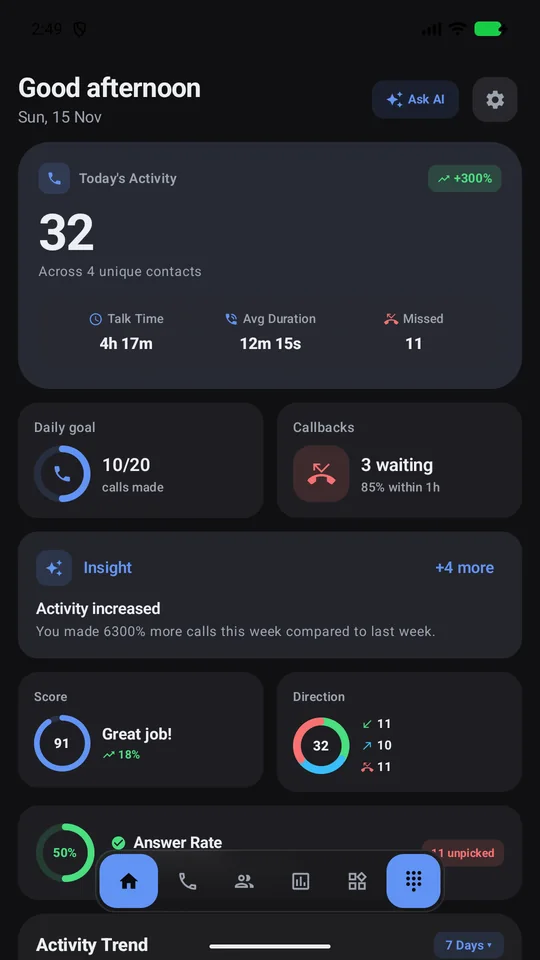
Built around how you actually call
Real screens from the app. Contacts and call records shown are fictional demo data.
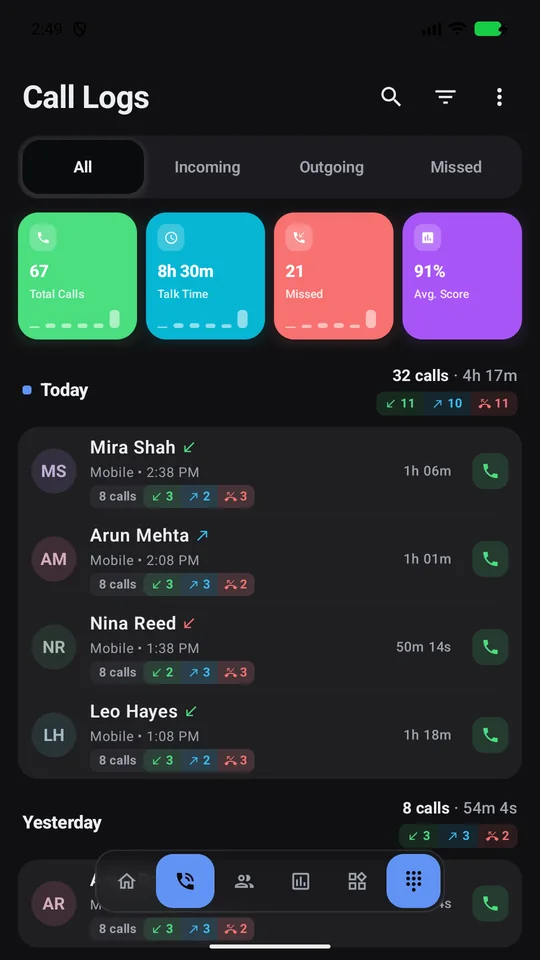
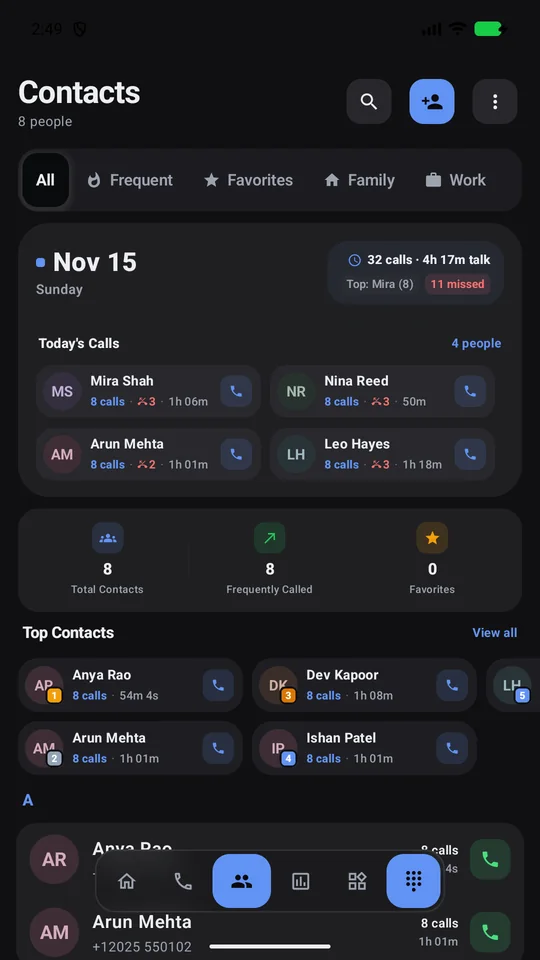
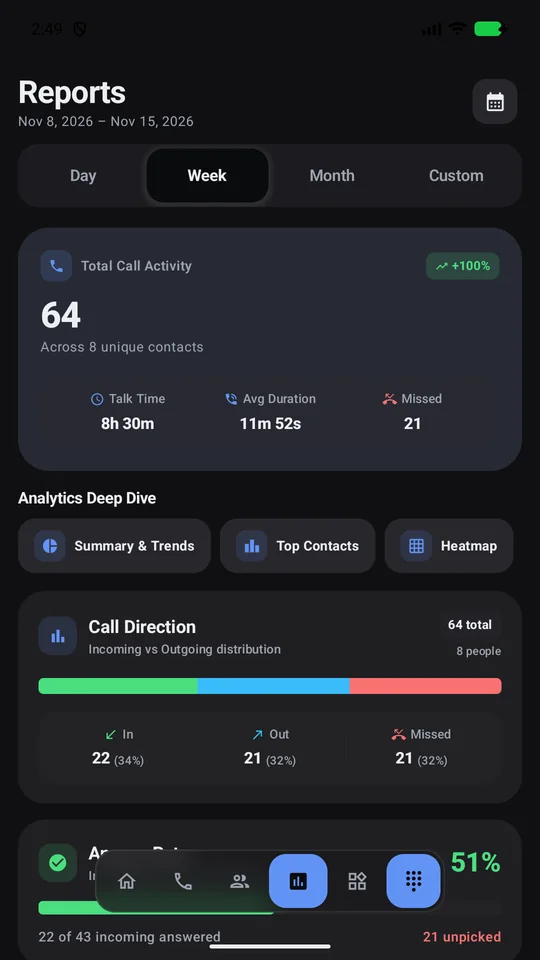
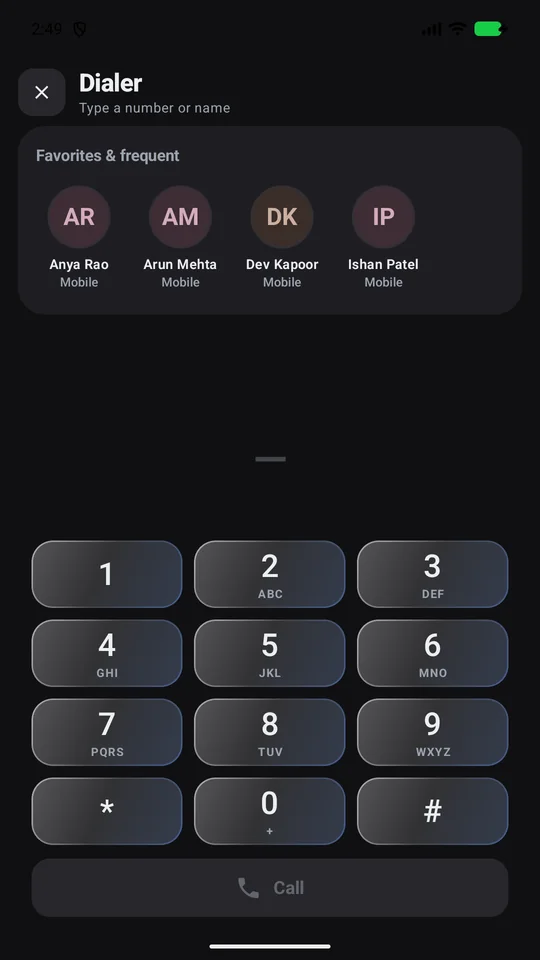
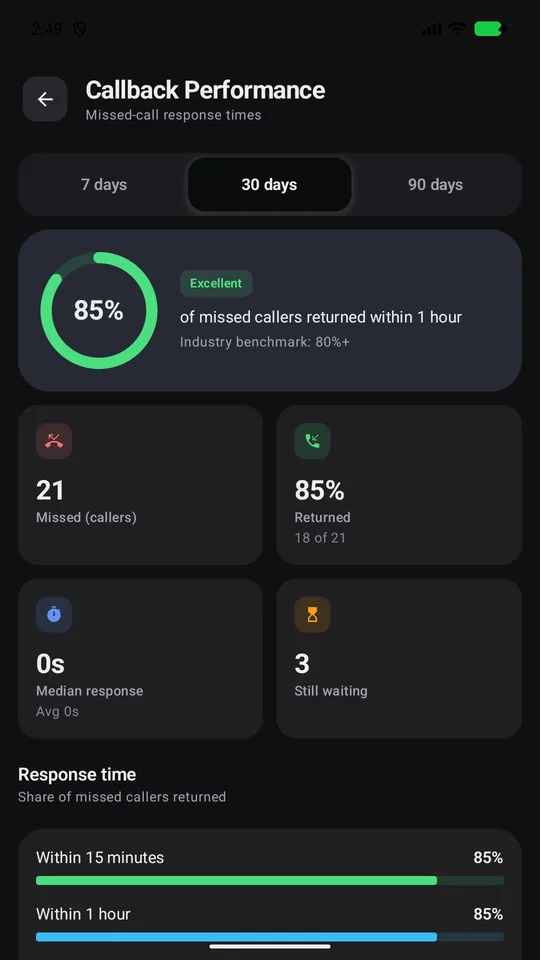
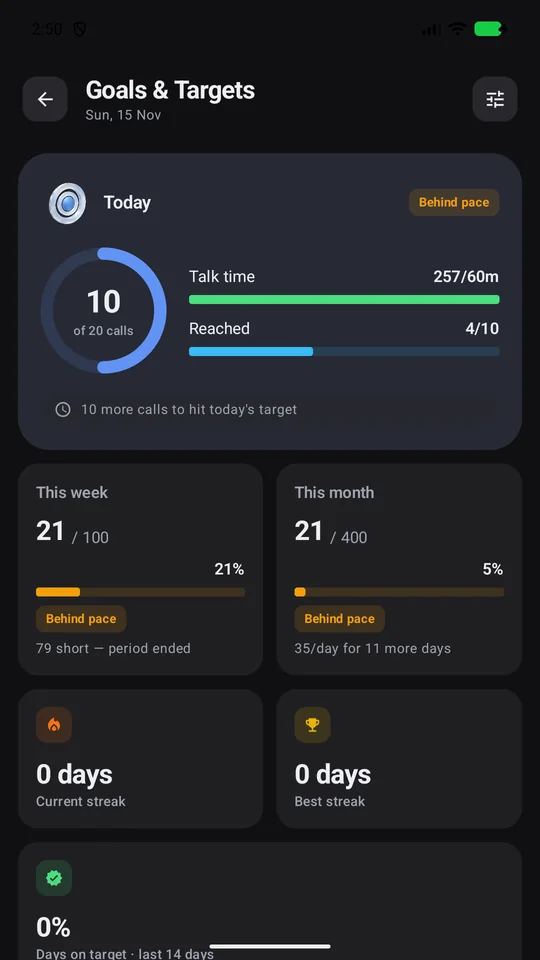
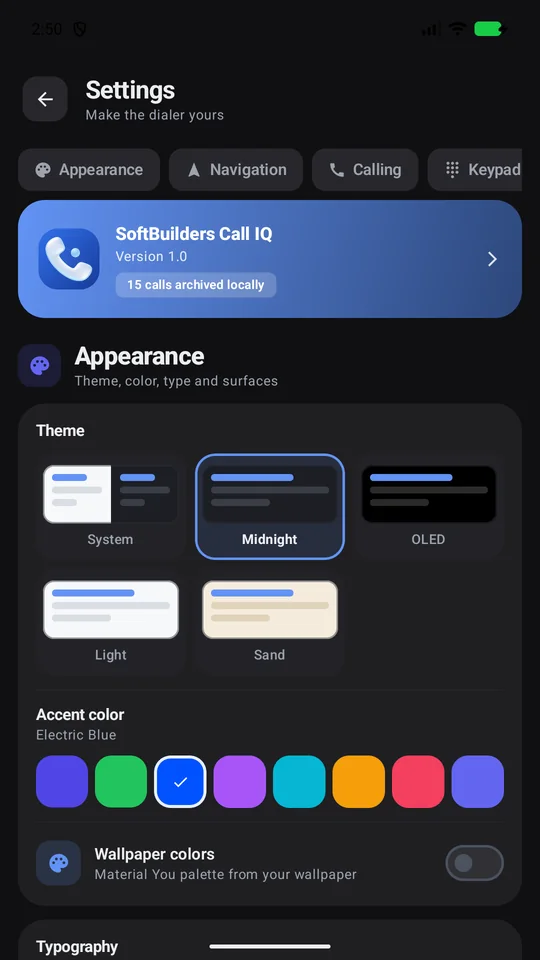
Screens captured from the CallIQ build on an Android emulator using fictional contacts (+1 202-555-01xx) and synthetic call logs.
Everything a busy phone needs
From the first dial to the follow-up, CallIQ keeps your calling day organised.
Smart T9 dialing
Type a name or number on the keypad. Matches are ranked by favourites and how often you call, with the matched letters highlighted.
Organised history
Repeat calls collapse into one row. Filter by date, call type, length, saved or unknown numbers, and SIM. Sort any way you like.
Insights & reports
Total calls, talk time, answer rate, busiest hours and days, top contacts and trends. Export reports as CSV.
Callbacks & follow-ups
Missed callers wait in a queue until you call back. Schedule reminders and log call outcomes.
Daily goals
Set targets for calls and talk time, track streaks and milestones, and add widgets to your home screen.
Full in-call screen
As your default phone app: answer over the lock screen, mute, speaker, keypad, hold, swap, merge and audio routing.
Blocking & quick replies
Block unwanted numbers, decline with a message, and auto-reply outside your working hours.
App lock
Protect your call history with fingerprint, face or your device screen lock.
Your phone, your style
Light, dark, OLED and warm themes, accent colours, typography, card styles and navigation layouts.
Your call log stays on your phone.
CallIQ is built without internet access. Insights, reports and the in-app assistant all run on the device, so there is nothing for us to collect.
Read the privacy policy- No internet permission
Android does not let the app connect to the internet at all. - No account, ads or analytics
No sign-up, no advertising SDKs and no tracking. - You decide what leaves
Data only leaves when you export, share or use Android backup. - Locked when you want
Optional biometric app lock protects your history.
App details
- Package
sbc.calliq- Version
- 1.0
- Requires
- Android 7.0 or later
- Category
- Communication
- Price
- Free · no ads
- Data collected
- None by SoftBuilders
- Developer
- SoftBuilders India
- Support
- [email protected]
Common questions
Does CallIQ upload my call history or contacts?
No. The app has no internet permission, so Android blocks it from connecting to any server. Everything is read and analysed on your phone.
Do I have to make CallIQ my default phone app?
No. You can browse history, contacts and insights without it. To answer calls and use the in-call screen, Android requires CallIQ to be your default phone app; you can switch back at any time in Settings › Apps › Default apps.
Does it record calls?
CallIQ includes a record button on the call screen, but whether recording works depends on your phone and Android version. Many devices block call audio. Recording laws differ by country and you may need everyone's consent.
Will I lose my history if I uninstall?
Android's own call log and your contacts stay on the phone. CallIQ's extra data (notes, tags, goals, archive and recordings) is removed when you uninstall, unless it was saved in an Android backup or exported.
Everything in one place
The policies, permissions and support details for SBC CallIQ.
- PrivacyWhat the app accesses, where it is stored and what never leaves your device.
- TermsThe rules for using the app, including warranty and liability.
- PermissionsEvery Android permission, why it is needed and what happens if you say no.
- CookiesCookies used on these web pages, and how to turn them off.
- Delete dataHow to delete your data from the device and anything we hold.
- SupportContact, troubleshooting and frequently asked questions.
SBC CallIQ is designed and developed by SoftBuilders India.